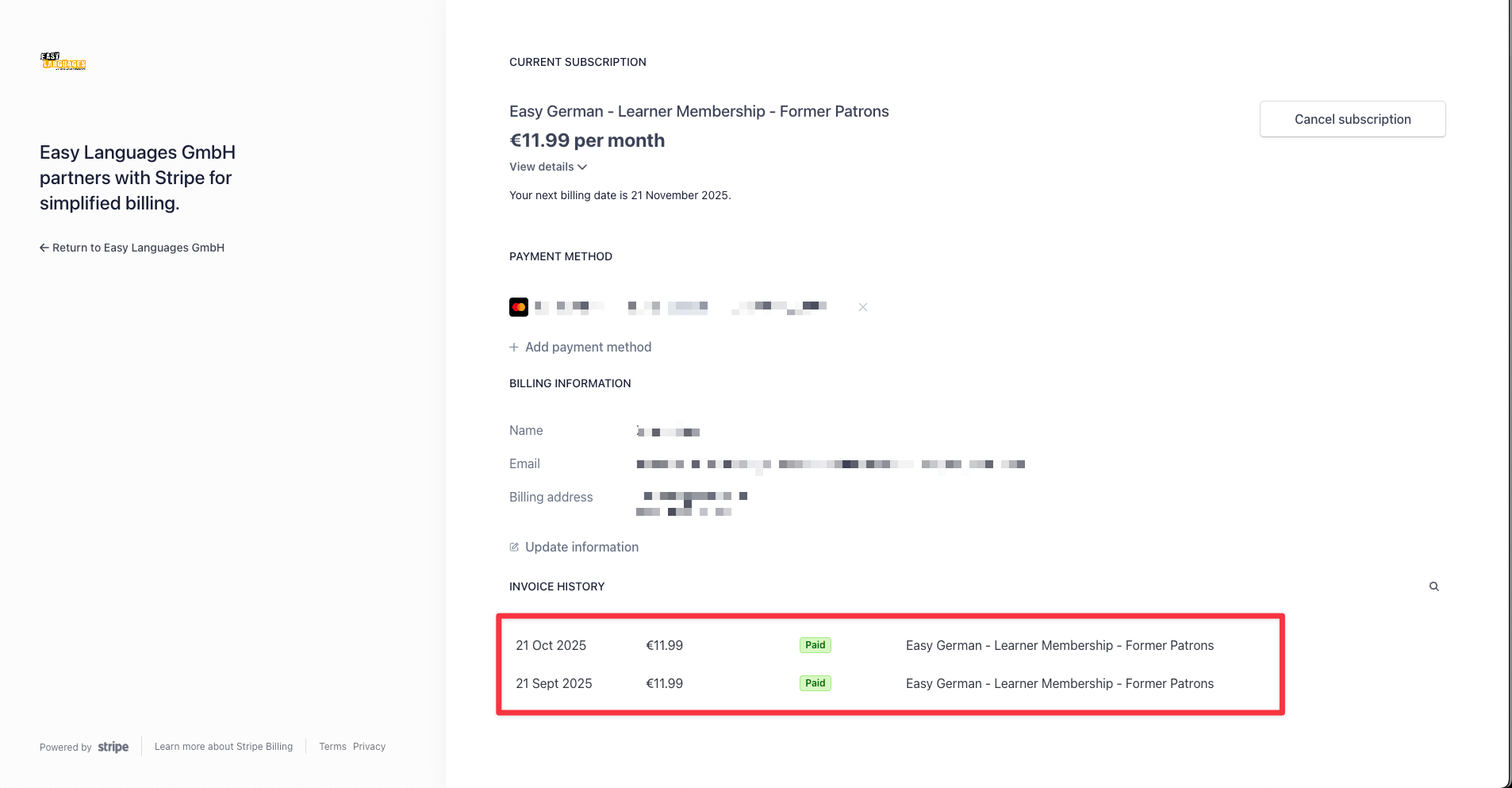
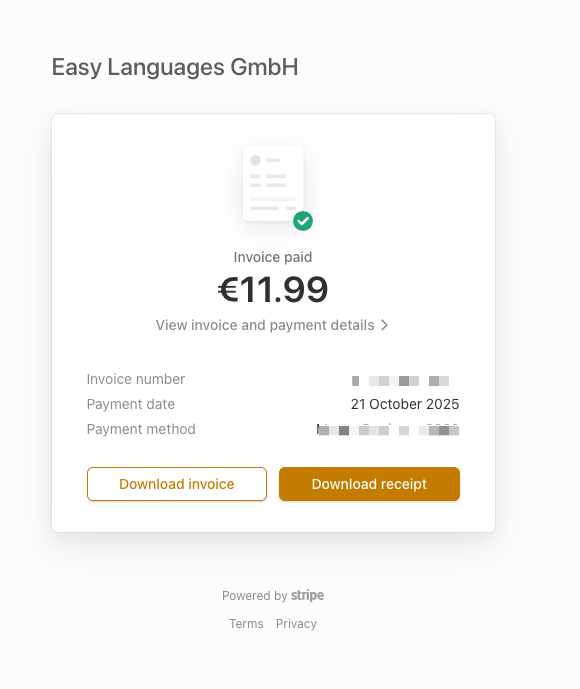
If for whatever reason you’d like to view your Stripe invoices, you can:
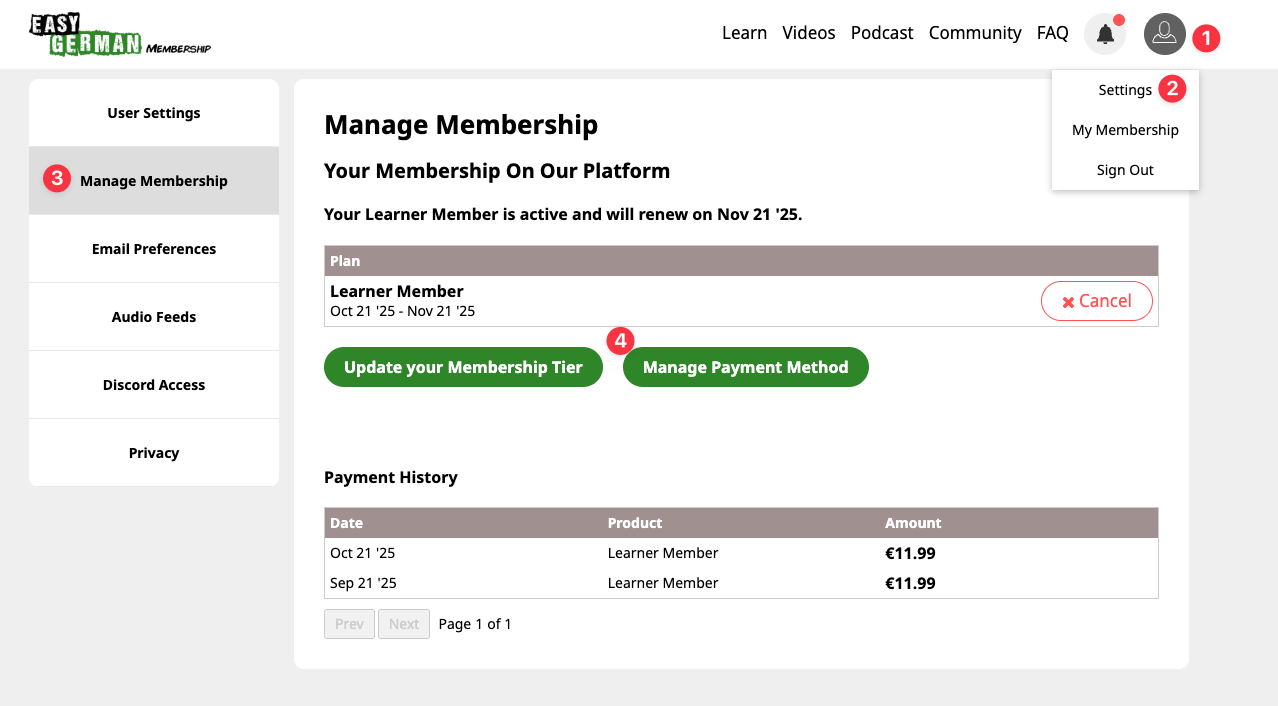
- On the upper right corner of your screen, click on your profile icon
- Click on “Settings”
- On the panel on the left, click on “Manage Membership”
- Click on “Manage Payment Method” or “Payment and Invoices”
You can view and download all past invoices here by clicking on them.