Upgrading Your Membership
When moving to a higher-tier membership:
- Timing: immediate
- You’ll get instant access to all the features of the new, higher tier as soon as you upgrade.
- How payments work
- You will receive a free trial of the higher tier until your next billing date.
- On your next scheduled billing date, your payment method will be charged for the new, higher-tier plan.
Downgrading Your Membership
When moving to a lower-tier membership:
- Timing: queued behind current subscription
- The downgrade will take effect at the end of your current billing period (monthly or yearly). Until then, you’ll still have access to the features of your current higher-tier plan.
- No partial refunds
- Since the downgrade starts after your current plan ends, no refunds are needed. You’ll simply switch to the new plan when your billing period renews.
How to Change Your Membership Tier
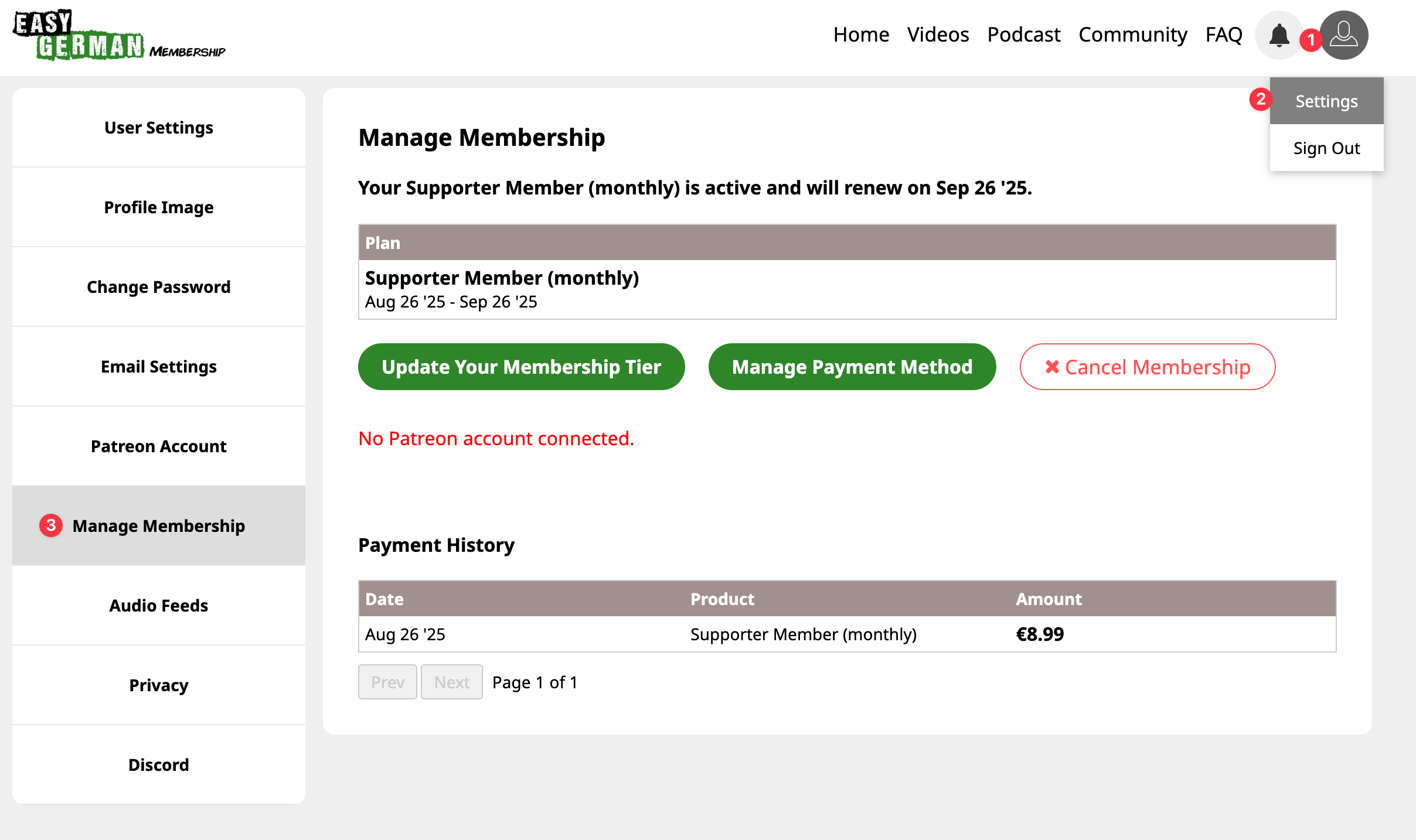
- Log in to your account.
- Head to Settings > Manage Membership
- Click “Update Your Membership Tier.”
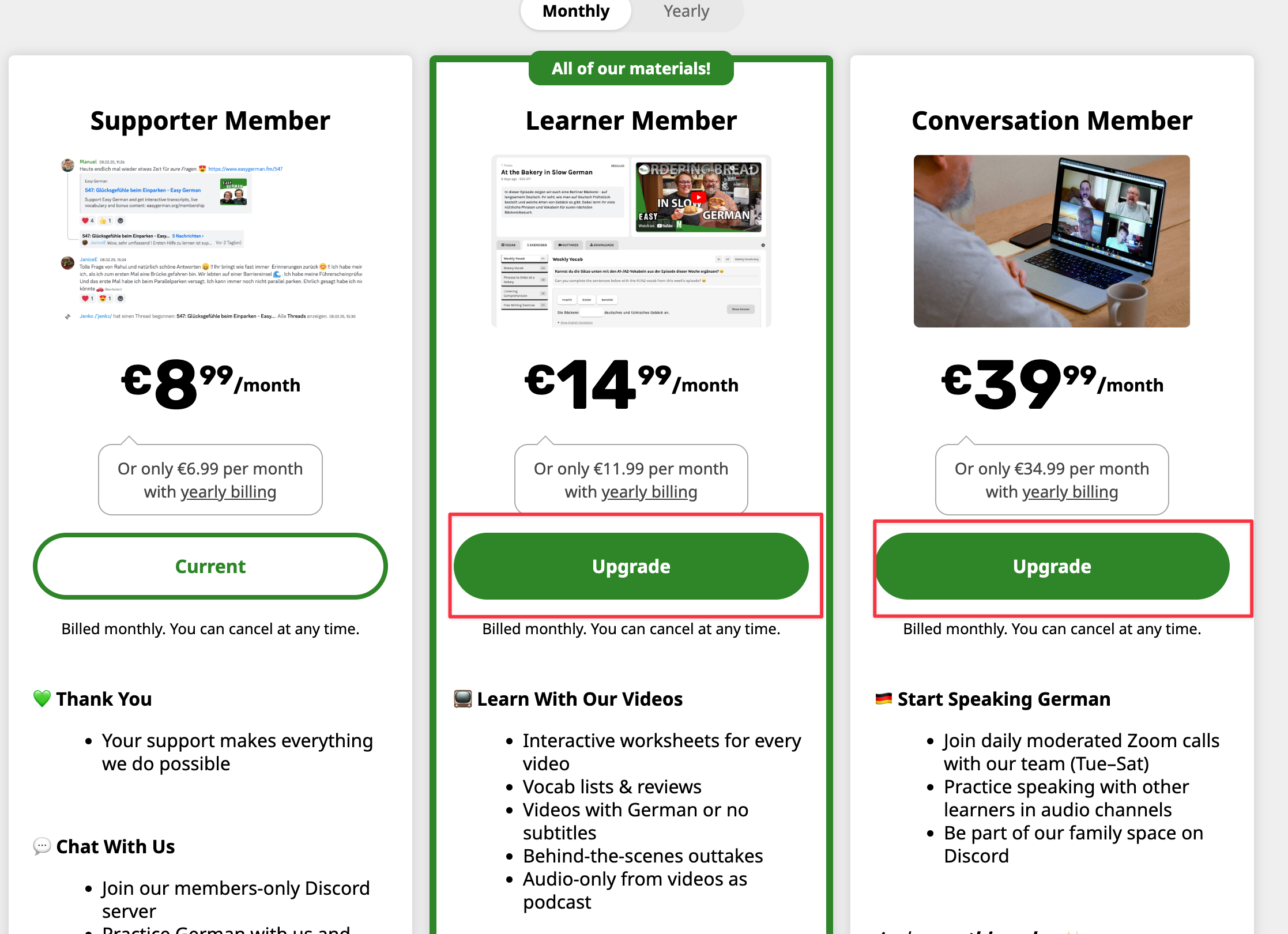
- Select your new plan and confirm.
If you’re unsure or need help with billing after switching tiers, please contact us. We’ll make sure everything is sorted out for you!